

Table of Contents
Smart thermostat installation is one of the most impactful ways to cut heating and cooling bills right now. But far too many guides gloss over the practical details that actually determine whether you will achieve those energy savings—especially if you own or manage single-family homes, apartments, or student housing. This guide gives you concrete numbers, actionable steps, and all the wiring, Wi-Fi, and setup know-how most resources skip—so you can install with confidence and see a return on investment, fast.
Key Takeaways
- Smart thermostats typically reduce heating and cooling energy use by 10–16%, with payback in as little as 4–6 months for many homeowners.
- Wiring compatibility, especially the presence of a C-wire, and reliable Wi-Fi are the top obstacles DIY installers encounter—but can be solved with the right steps.
- Precise wiring, Wi-Fi setup, and app onboarding details are essential for success—and often missing from most “install smart thermostat guide” articles.
Quick takeaway — what you’ll save and how fast
Installing an energy saving thermostat promises substantial, measurable cuts in your utility bills. In real-world studies, Department of Energy benchmarking found that heating and cooling typically make up about 55% of home energy use—about $1,203 yearly for the average single-family home. Swapping to a smart thermostat yields an average savings of 10–16% on those costs, meaning you could pocket $120 to $190 per year, often more if your climate has extreme temperatures or your schedule varies.
The payback period is rapid. Depending on your starting point, you can recoup your investment in as little as 4–6 months to under 2 years. If you manage multi-unit rentals or student housing, the ROI stacks up even faster through centralized control and fewer HVAC service calls.
Proven energy savings & ROI by home type (single-family, apartments/student housing, climate-sensitive homes)
Different properties see different savings after smart thermostat installation:
- Single-family homes: Most U.S. homes spend about $1,200 a year on heating and cooling (DOE). Smart thermostats commonly yield $120 to $190+ in annual cuts, especially in regions with hot summers or cold winters. Homes with programmable thermostats see less dramatic gains, but occupancy-sensing features and remote app control can drive real savings—especially for owners with unpredictable schedules.
- Apartments and student housing: Landlords and property managers score both direct bill cuts and operational wins. You can automate vacant unit setbacks, spot failing HVAC early, and save staff time. Some properties recover installation costs in months instead of years (source).
- Climate-sensitive homes: In places like Los Angeles or Chicago where AC or heat runs hard, energy saving thermostats often outperform the averages. Houses with heat pumps or variable work schedules benefit even more from models with adaptive learning and real-time occupancy detection (see Brody Pennell’s analysis).
Your ROI depends on your starting efficiency, existing thermostat, and how well you program schedules. But even conservative estimates still favor upgrading for owners who want control and fast payback.
Choosing the right model for ROI (compatibility, features that actually save energy)
Not all smart thermostats deliver the same savings. To maximize the ROI from your install smart thermostat guide efforts, consider these factors:
- HVAC compatibility: Check if your system is single-stage, multi-stage, or uses a heat pump. Some models support more configurations than others. If you lack a C-wire, filter for thermostats with C-wire adapter kit or alternate power options.
- Energy-saving features you’ll use: Learning algorithms and occupancy sensors translate into more actual savings for homes with unpredictable routines. If your home already uses a well-programmed, basic thermostat, a simple WiFi thermostat setup may yield smaller marginal gains (Consumer Reports).
- Remote access and app quality: The best smart thermostats have reliable Android and iOS apps, easy scheduling, and clear energy reports.
Don’t waste money on advanced features you will never use, but don’t undershoot—if you travel, manage multiple properties, or deal with tenants, remote controls and learning modes are more than marketing fluff.
See our EV charger installation home and net-zero ready home articles for more whole-home efficiency tips.
The number‑one hardware pitfall: wiring and the C‑wire
Here’s the fact: Many smart thermostat installation projects die at the wiring stage. The “C-wire” (common wire) provides constant power; without it, the thermostat may not function or could drain batteries rapidly. About half of U.S. homes lack a ready C-wire (CLIq report).
How do you know if you have a C-wire? Remove your current thermostat and look for a wire connected to a terminal labeled C. If not present, solutions include:
- Using a C-wire adapter kit (included with some models)
- Re-purposing an unused wire (if running more than four wires)
- Special manufacturer solutions (for example, some new models power off battery plus intermittent system power)
- Hiring a pro to run a new wire (costs more, but necessary for some systems)
Important: Always photograph your original wiring before disconnecting. The letters (R, Rc, Rh, W, Y, G, C) correspond to different HVAC functions, and not every system uses the same color conventions.
Those with complex multi-stage units or older systems should check with manufacturer compatibility checker tools before buying.
If this sounds overwhelming, many local electricians offer flat-fee thermostat installs that handle all wiring quirks.
wifi thermostat setup — common connection problems and step‑by-step fixes
This is the #1 cause of smart thermostat headaches: the Wi-Fi won’t connect, or it drops out after a few hours. Here’s how to nail your 2.4GHz Wi-Fi thermostat setup:
- Most models require 2.4GHz Wi-Fi. If your router’s SSID (Wi-Fi name) only broadcasts 5GHz, or both bands share one name, your thermostat might not connect. Log into your router settings to enable or separate 2.4GHz mode if needed.
- Double-check your network password. Enter carefully—one typo and connection fails.
- Boost signal near the thermostat. HVAC closets and basements kill Wi-Fi. If the signal is weak, move the router or use a Wi-Fi extender.
- Reboot the router after reconnect failures. If you change your network password, you must re-pair the thermostat.
- Factory reset only as a last resort.
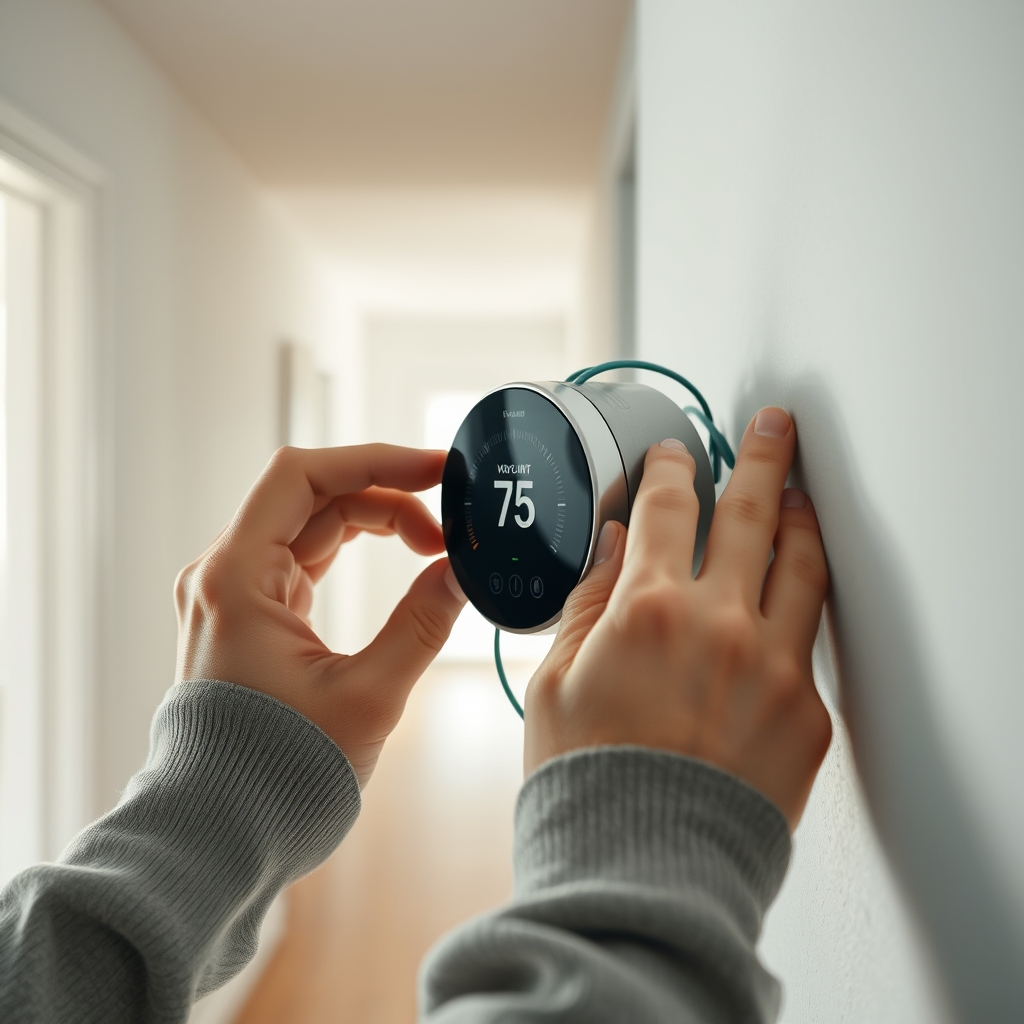
Wi-Fi connectivity issues aren’t rare. About 46% of smart device owners have faced them (AHS Smart Home Survey).
If connection fails repeatedly, check for firmware updates (see next section).
App pairing, firmware, accounts and ongoing maintenance (often missing in guides)
Installing the thermostat on the wall is only half the job. Complete wifi thermostat setup for remote control and real energy savings:
- Download your thermostat’s official app on your phone or tablet.
- Create a user account (email verification required).
- Add your device: In the app, tap “Add Device,” then follow the on-screen steps for pairing via Wi-Fi or Bluetooth.
- Allow all requested permissions for the app to function (location, notifications, etc).
- Check for firmware updates and apply immediately—outdated firmware can cause connectivity and feature problems.
- Activate energy reporting and alert notifications, if available.
- If you ever change router or Wi-Fi password, use the app’s “Reconnect” or “Change Network” feature, then re-pair as needed.
- After power outages, verify the thermostat is back online—some require manual restart or re-pairing.
Skipping any of these steps is a common reason for unreliable remote access or missed energy savings (Value Controls guide).
Placement, calibration and programming for maximum energy savings
For a smart thermostat installation to deliver what you expect, it must read your home’s actual climate and adjust accordingly. Here’s how to guarantee it:
- Place the thermostat on an interior wall, away from direct sunlight, exterior doors, vents, kitchen appliances, and drafts.
- Calibrate temperature: Some models let you offset temperature readings if you notice a mismatch between displayed and actual comfort. Use a reliable thermometer for reference.
- Set up schedules and enable energy features: Create daily or weekly schedules that lower heating/cooling when no one’s home. Enable geofencing, learning, or setback features for best results.
- Test and tweak: After setup, monitor your comfort and billing for 2–3 cycles, and adjust as needed.
Pro tip: Poor placement and rushed setup can reduce expected energy savings by half or more. Take the extra five minutes to get it right. For more sustainable upgrades, see our guide to WaterSense fixtures.
The three crucial details top “install smart thermostat guide” articles usually miss
Even today, most articles leave out the info that homeowners and small landlords need most:
| Missed Detail | Why It Matters | Quick Solution |
|---|---|---|
| Precise wiring examples (A/B/C/R, heat-pump, RH/RC) | Incorrect wiring can damage your HVAC or thermostat; nearly 50% of failed installs are wiring mistakes | label each wire before removal, photograph for reference, and use the thermostat’s wiring guide or app screenshot instructions |
| Step-by-step app/firmware onboarding (screenshots, button names) | 19% of users report setup/app pairing issues; skipping these steps blocks remote control | Follow the in-app “Add Device” instructions exactly and do not skip firmware updates |
| WiFi frequency/SSID troubleshooting | Many thermostats require 2.4GHz Wi-Fi only; “dual-band” confusion causes failed connections | Log in to router and confirm 2.4GHz mode is active and thermostat joins that network |
For more behind-the-scenes upgrade advice, check out our home sauna installation and ventless washer dryer deep-dives for small spaces and efficiency.
Step‑by‑step installer’s checklist (pre‑install, install, post‑install test)
- Check thermostat/HVAC compatibility using manufacturer tools
- Turn off power at the breaker to your old thermostat
- Remove the old thermostat, label each wire as you disconnect, and take a photo for reference
- Confirm presence of a C-wire; if missing, use an adapter or run new wire before continuing
- Mount the smart thermostat’s base plate and connect wires to the correct labeled terminals (R, Rc, Rh, W, Y, G, C, O/B as needed)
- Secure faceplate/display and restore power
- Follow in-app instructions to connect to 2.4GHz Wi-Fi, pair device, and apply firmware updates
- Test heating and cooling functions (if possible run a five-minute test in each mode)
- Set up schedules, enable energy saving features, and activate energy reporting
- Monitor monthly bills and app reports for 1–3 cycles for baseline savings
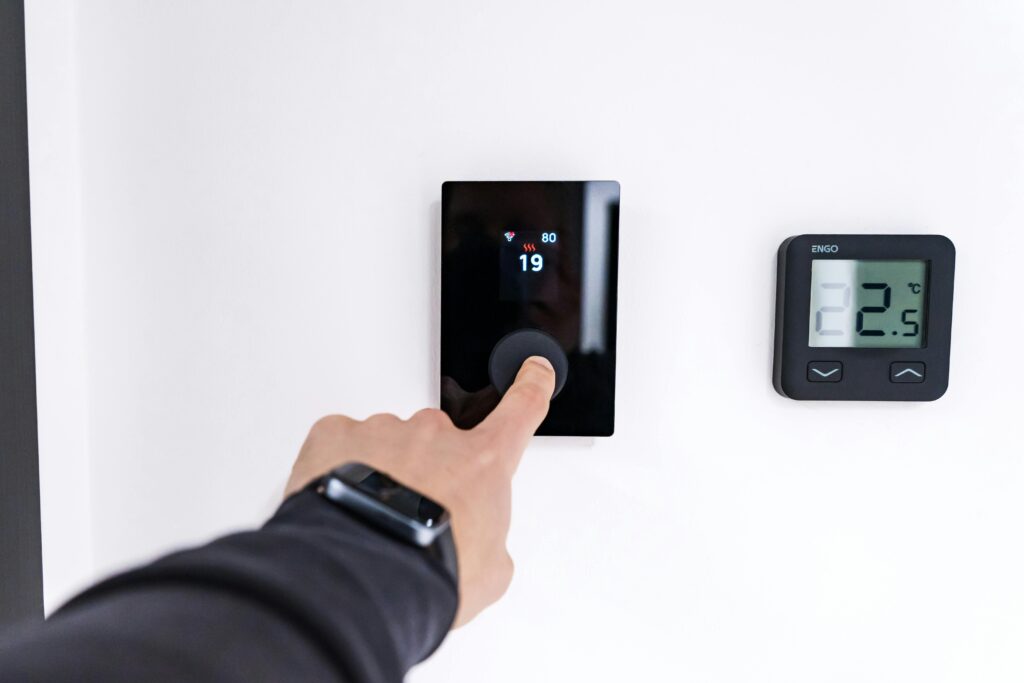
Doing these steps in order prevents 90% of failed installs. If you want more low-hassle upgrades, our guides on small bathroom renovation and garage organization systems may be helpful.
Troubleshooting quick fixes and when to call a pro
- No display? Double check breaker is on, wires are firmly seated, and the faceplate clicks in fully
- No heating/cooling? Confirm correct wire placement—if in doubt, compare your photo or manufacturer wiring diagrams
- Wi-Fi keeps dropping? Check for 2.4GHz compatibility, strengthen router signal, or try a Wi-Fi extender
- Thermostat cycles on/off rapidly? Some systems require a delay configuration in settings
- Call a pro if:
- No C-wire and no reasonable adapter/wiring solution
- Wire colors or terminals do not match any guide or online diagrams
- Old, complex, or multi-zone HVAC systems
It is always better to call an HVAC technician if you are unsure—protecting your system is worth the one-time investment, especially for energy saving thermostat upgrades. For more about improving comfort and home value, see our biophilic outdoor design strategies.
Expected results and how to measure ROI (what to track in months 1–12)
How can you be sure your smart thermostat installation is working? Start with a baseline:
- Look up last year’s heating/cooling usage on past utility bills (same months, similar weather)
- Monitor the usage charts in your thermostat’s app—most show hourly/daily trends compared to baseline
- After each bill, track both runtime hours and dollar costs
- Calculate your percent savings: (Old Bill – New Bill) ÷ Old Bill × 100%
- Expect to see noticeable savings in the first 1–3 cycles, with total payback often in under a year—though variables like occupancy and outdoor weather apply (see BNPMedia data).
For deeper energy cuts, combine upgrades—check out our heat pump dryer guide or LVP flooring for more comfort and savings ideas.
Suggested CTAs and product mention guidance
If you are ready to upgrade, don’t just buy the first model you see—use “best smart thermostats” roundups that filter for features and, most importantly, C-wire and HVAC compatibility. Always check for compatibility before ordering. Manufacturers’ savings claims vary, but your actual ROI depends on matching your setup and wiring to the right product.
- Check your HVAC and wiring compatibility using manufacturer tools before purchase
- Use online tools that walk you through compatibility checks step-by-step
- Alternatively, schedule a pro install to sidestep wiring pitfalls
Looking for other payback upgrades? Browse our smart pergola and peel and stick backsplash articles for more fast ROI projects.
FAQ
How much money will I save with a smart thermostat installation?
Most homeowners can expect to save 10–16% on their heating and cooling bills after proper installation and setup. Depending on your energy usage, this can mean $120 to $190 or more annually, sometimes higher in climate-extreme areas or with unpredictable schedules.
Can I install a smart thermostat without a C-wire?
It depends. Some smart thermostats offer C-wire adapter kits or alternate power options. If your HVAC wiring has an extra unused wire, it may be repurposed as a C-wire. Otherwise, you might need to run a new wire or hire a pro. Always check the thermostat’s documentation for C-wire solutions.
Why won’t my smart thermostat connect to Wi-Fi?
Most models only work with 2.4GHz networks, not 5GHz. Make sure your router has 2.4GHz enabled and your password is entered correctly. If walls or distance weaken signal, move your router or use a Wi-Fi extender. Sometimes, a quick router reboot or factory reset of the thermostat helps.
What are the most common installation mistakes?
The most frequent errors are incorrect wiring (especially with C-wire, Rc/Rh, or heat pump setups), skipping app pairing or firmware updates, and failing to setup proper Wi-Fi. Poor thermostat placement can also harm performance.
How do I know if my thermostat is saving money?
Baseline your old utility bills and track both energy use and costs in your new thermostat app and billing. Expect to see meaningful drops in 1–3 billing cycles, with total payback typically under two years—or sooner for high-use homes.
—